Importing employee profiles
Step 1
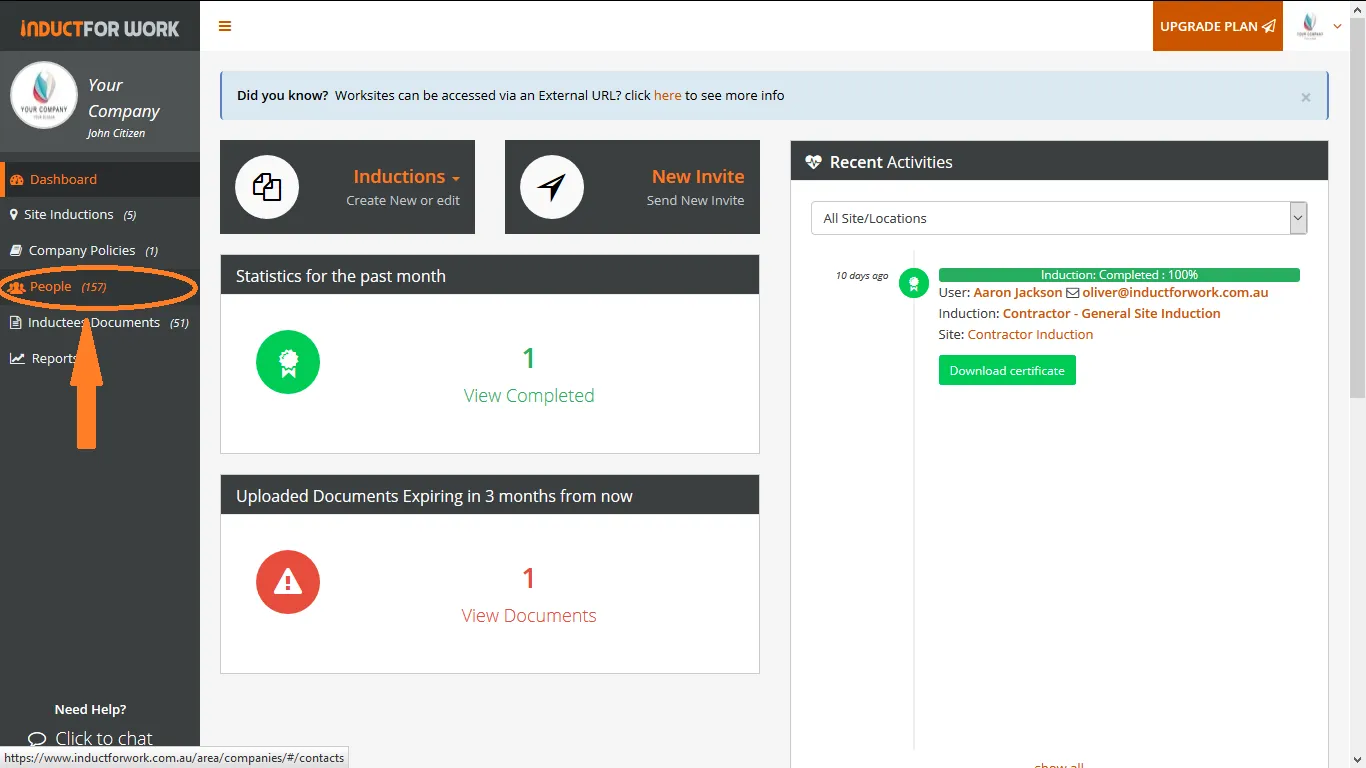
Click on People.
Step 2
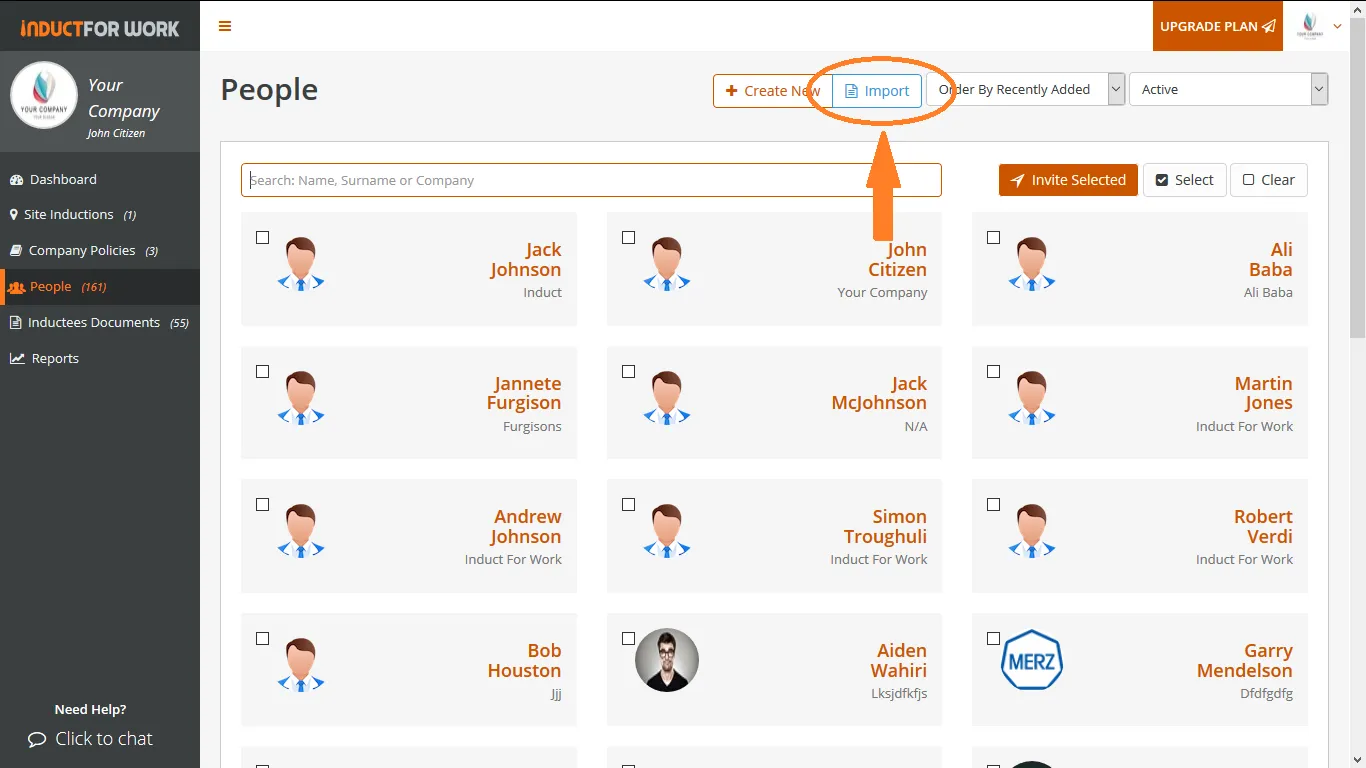
Click on Import.
Step 3
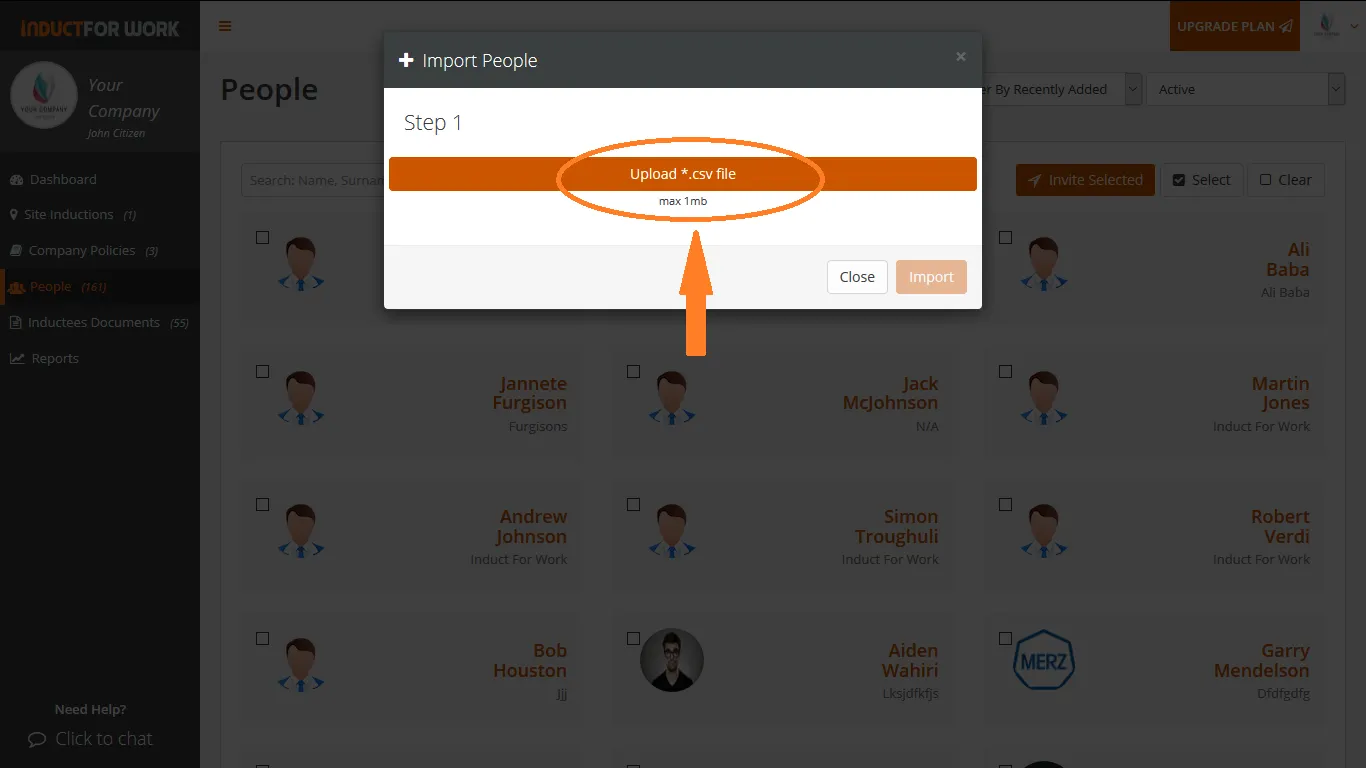
Click on Upload .csv file
Step 4
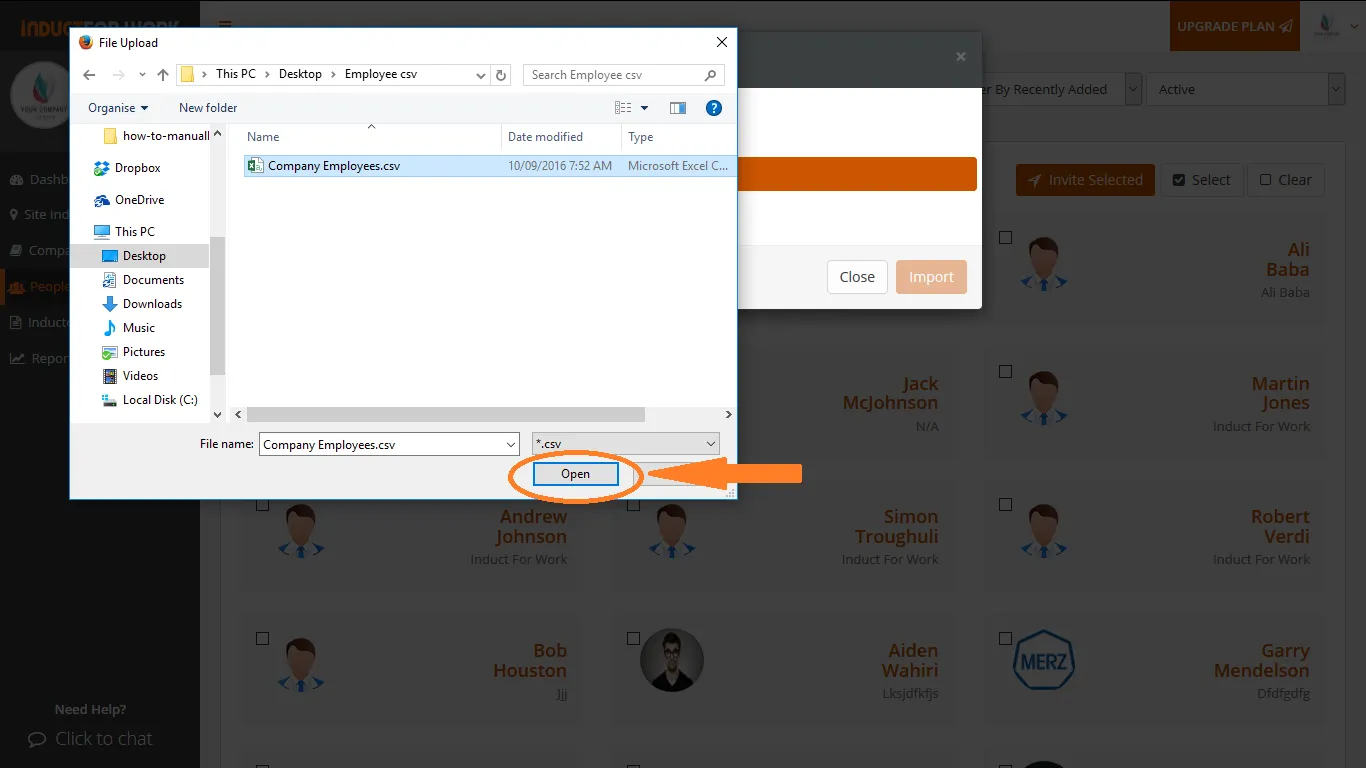
Select you .csv file containing all your employee profiles and click Open.
Step 5
Map out contact columns and click on Import.
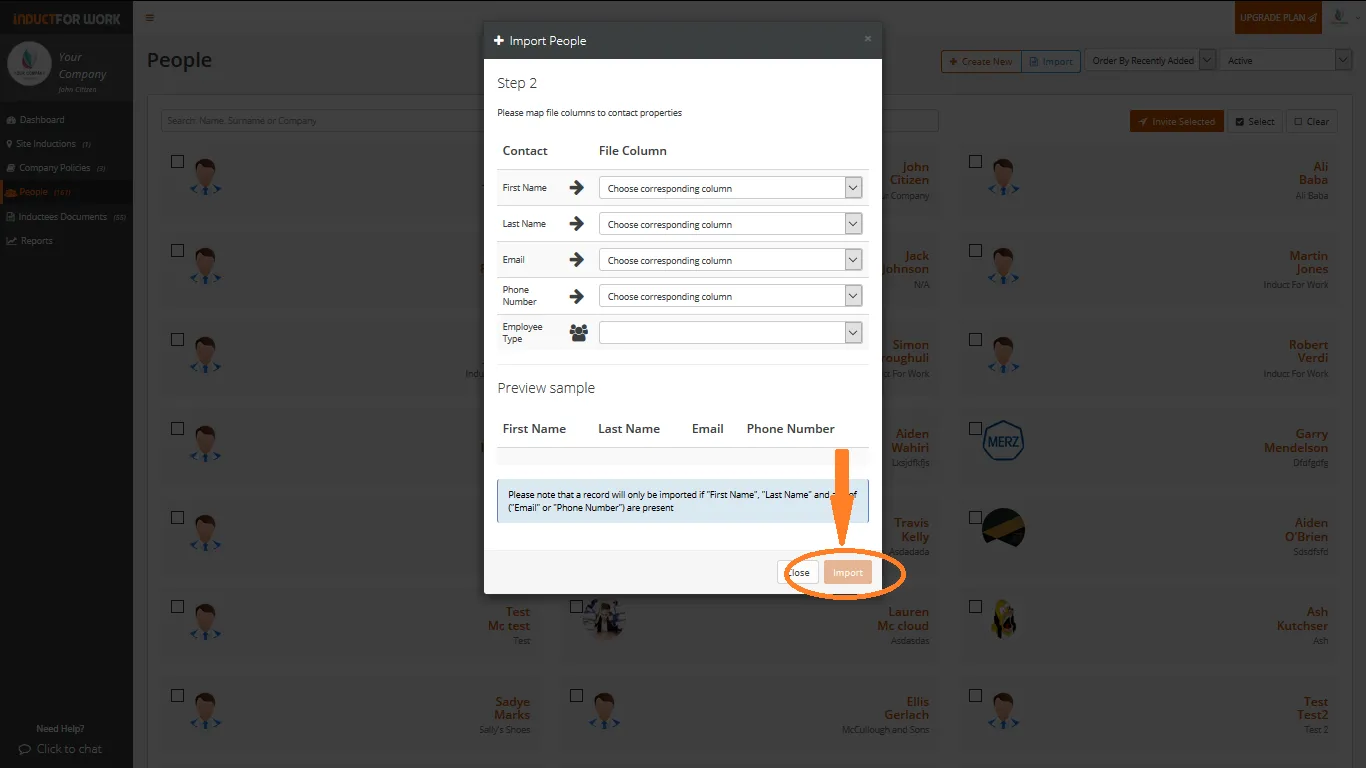
Your contacts are now being imported into People area.
Step 6
Click on People to view all imported profiles.
Can’t find the answers you are looking for – click here – to contact us.