- Solutions
PRE-EMPLOYMENT
INDUCTION
COMPLIANCE
OTHER FEATURES
- Pricing
- Instant Demo
- Contact
- Articles

A quick tour of your Induct For Work dashboard: the left menu, the gear menu and where to find every induction training and LMS tool.

Add your company logo to your induction training portal, certificates and kiosk, update company details and choose security settings.

Create induction training from scratch or a sample, or import PowerPoint, PDF, Word or SCORM. AI can turn your document into a full induction.
Edit your induction training pages: text, pictures, YouTube or your own videos, text to speech voice-overs, files and quiz questions, with AI help.


Set certificate expiry, pass mark, policies, reminders and details to collect for each induction training course, then copy, translate or see history.

Collect licences, permits and insurance at the end of your induction training, approve them, track expiry and send document requests with Data Capture.
Write or import your company policies once, make people read them before their induction training starts, and show them on your induction portal.
Set up your induction training portal: share its link and QR code, add an auth key, your colours, background and special instructions, and portal settings.


Add a site and induction training portal for each workplace. See sites per plan, buy extra sites, list portals on one Portal Hub and archive old sites.

Add, import and organise the people who do your induction training: contact groups, duplicates and merging, and what each People tab shows.
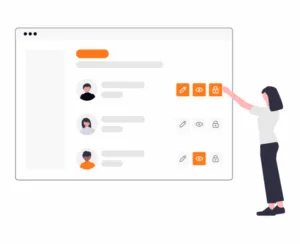
Invite admins to help run your induction training LMS. Compare the five roles, see seats per plan, and change or revoke access.
Send induction training invites by email or SMS: invites and texts per plan, contact groups, due dates, reminders and following up unanswered invites.


Pick a ready-made induction training certificate or ID card on any plan, or design your own with the Certificate Designer on the Enterprise plan.
Let workers report injuries, near misses and hazards from their phone. Included on every plan with your induction training. Set up and review reports.

Visitor Management for your induction training LMS: a sign-in kiosk and phone QR code on every site, induction checks, host emails and visitor labels.

Send an urgent email or text to everyone inducted for your sites, or on site now. Emergency Broadcast for your induction training LMS, Team Plus and up.
Find, filter and export reports on your induction training: attempts, certificates, expiring documents, unanswered invites, wrong answers and more.

Set up a schedule so each induction training course in a series is sent automatically, days or months after people pass the one before.

Connect Zapier, import past induction training records, and send results and site sign-ins to your own systems with the API and sign-in webhook.
Switch between your company, other companies, contractor accounts and your personal induction training account with one login.
View and download the invoices for your induction training LMS subscription, and set the company name, VAT number and email address your invoices use.
Upgrade or downgrade your induction training LMS plan: Lite to Enterprise, monthly, half-yearly or yearly, plus extra admins, sites, videos and SMS.
Add a new payment card, set your default card or remove an old one for your induction training LMS subscription, from Payment Options.
Change the contact person shown on each site’s induction training portal and inside its courses: name, email and phone, from the Induction Portal tab.

Cancel an induction training invite sent by mistake, from the person’s profile or the Unanswered Invites report, and see what the person sees.

Archive people who’ve left, restore them or delete them for good: who can, what archiving stops, and auto archiving for expired induction training.

Forgot your password? Ask for a 6-digit code by email from the login page and choose a new password for your induction training LMS.
Export a zip of certificates and documents from your induction training: who can export, what is included, the monthly limit and the email download link.


Why a person shows Do Not Contact, what they miss, and how they turn emails back on so your induction training invites reach them again.
Check contractor insurance, documents and induction training in one place. Set requirements, invite contractors and approve their paperwork.
Add PDF forms to sign, custom forms with logic and feedback forms to your induction training, and see where signed copies and answers go.

Send toolbox talks to your crew alongside your induction training: schedule a group, workers sign on their phone, and see who’s done it.
Keep a daily site diary with photos, weather and comments, and share entries with the people who did your induction training at that site.
Keep each site’s insurance, permits and RAMS in a Document Registry next to your induction training, with weekly emails before documents expire.
Sort people into contact groups and subgroups, filter by group and invite a whole group to your induction training or Toolbox Talks at once.
See who changed what in your induction training, policies, sites and people, and restore an earlier version of a course’s pages.

Turn on two-factor authentication, require it for every admin, check your recent sign-ins and set up SSO for your induction training LMS.
Scan the QR code on an induction training certificate or ID card to open the person’s profile and check their training is current.

Ask IFW Assist how to do anything in your account, turn documents into induction training with AI, and let AI write quiz questions for your LMS.
Share one link for all your sites. The Portal Hub lists your induction training portals so workers tap their site and start straight away.

Upload training videos to Media Management, add them to your induction training pages, see where each is used, and buy video packs of 10.
Create a RAMS from a template, send it for signing, track who has signed, resend, waive, revise and download the signed PDF.
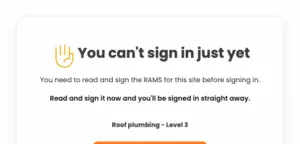
Ask contractors for a RAMS, approve or reject it, check their crew has signed and see what blocked workers do at the sign-in kiosk.