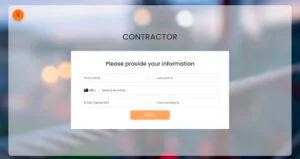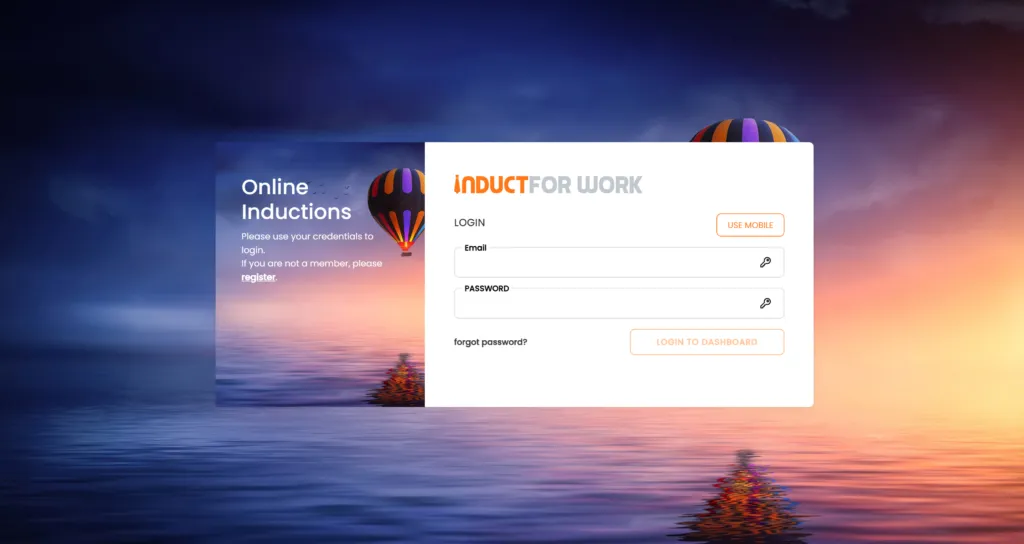
Induction Training Login Page for UK Workplaces
An induction training login page is the secure entry point where employees, contractors, volunteers and other users access their online induction.
For UK workplaces, this page can play an important role in making induction online training easier to deliver, easier to complete and easier to record. Instead of asking people to attend the same briefing in person, read printed documents or return paperwork by email, an online login page gives each user access to the training and information that applies to them.
A good induction training login page should do more than ask for a username and password.
It should guide users to the correct induction course, show what they still need to complete, provide access to required documents, support quizzes or acknowledgements and help administrators track progress from one place.
Induct For Work helps UK organisations manage online induction training for staff, contractors, visitors, volunteers and other workplace users. Training can be delivered before arrival, during onboarding or as part of ongoing workplace compliance.
What is an Induction Training Login Page?
An induction training login page is a secure web-based page where users sign in to access their assigned induction training.
The user may be a new employee, contractor, subcontractor, temporary worker, volunteer, visitor, student placement, agency worker or returning staff member. After logging in, they can complete induction modules, read workplace instructions, watch videos, upload documents, complete forms, answer quiz questions and receive proof of completion where required.
The login page acts as the front door to the induction process.
It helps your organisation control who can access training, which course they see and whether they have completed the required steps.
A workplace induction login page may be used for:
- new employee onboarding
- contractor induction
- site access training
- health and safety induction
- policy acknowledgement
- volunteer induction
- visitor induction
- refresher training
- role-specific training
- document collection
- completion records
For larger organisations, a login page can also support different induction pathways for different sites, locations, roles or departments.
Why UK workplaces use induction login pages
UK workplaces often need to induct people before they start work, enter a site or perform a specific task.
A login page makes this easier because the user can complete their induction from a computer, tablet or mobile phone. They do not need to wait for a group session or travel to a workplace just to receive basic information.
This is useful for organisations that manage:
- remote workers
- contractors
- shift workers
- temporary staff
- seasonal workers
- mobile teams
- multi-site workforces
- volunteers
- people starting at short notice
The login page also gives administrators more control.
Instead of asking managers to confirm induction completion manually, the system can show who has logged in, who has started, who has completed training and who still needs to take action.
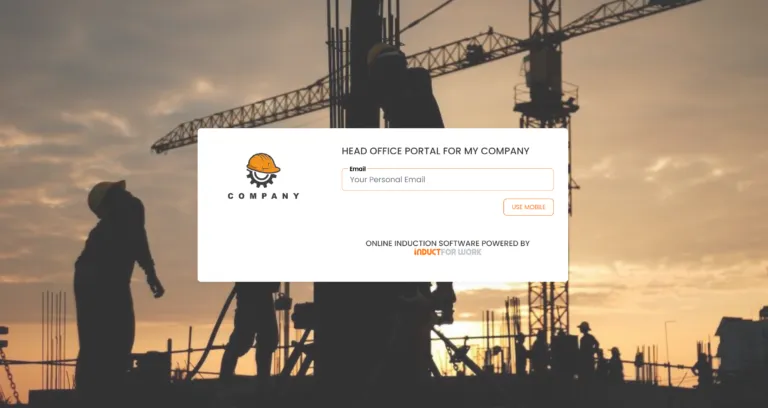
Purposes of an Induction Training Login Page
An induction training login page has several practical purposes.
It gives users a simple place to begin. It also gives administrators a central point for managing training access, completion records and reporting.
Streamlined onboarding
The first purpose is to make onboarding easier.
New employees and contractors often need to complete several steps before they begin. They may need to read policies, complete health and safety training, sign documents, provide licences, upload certificates or answer questions.
A login page brings those steps into one structured process.
Instead of sending separate emails, attachments and forms, the organisation can invite users to log in and complete the induction pathway assigned to them.
For broader onboarding workflows, see onboarding.
Controlled training access
A login page helps make sure the right person receives the right training.
Not everyone needs the same induction. A warehouse worker, office employee, contractor, cleaner, volunteer, driver, visitor and supervisor may all require different information.
A secure login page can direct users to the correct course based on their role, site, department or user group.
This reduces confusion and helps prevent people from completing irrelevant training while missing the information that actually applies to them.
Compliance and completion records
An induction login page should support record keeping.
When users complete training online, the business can keep records of completion, quiz results, acknowledgements and certificates.
These records may be useful for internal checks, client requirements, site access decisions, management review or audit preparation.
Good record keeping helps administrators answer simple questions quickly:
- Who has completed their induction?
- When did they complete it?
- Which course did they complete?
- Did they pass the quiz?
- Which users still need to respond?
- Which records are ready for review?
Without a clear login and tracking system, those answers can become scattered across emails, spreadsheets and paper folders.
Better use of staff time
In-person induction sessions can be useful in some situations, but repeated delivery creates admin pressure.
If the same information has to be explained every week, supervisors and HR teams lose time that could be spent on role-specific support, practical training and workplace guidance.
An online induction login page helps move repeated information into a structured digital process.
Managers can still meet new starters, answer questions and explain the role. The login page handles the repeatable parts of induction: site rules, policies, videos, forms, quizzes and certificates.
Consistency across teams and sites
A login-based induction process helps every user receive the same core message.
This is especially useful for organisations operating across several UK locations. Each site may have its own local rules, but the organisation can still provide a consistent induction standard.
A central login process helps reduce variation between departments, managers and locations.
Users can receive the same baseline information, while additional modules can be added for site-specific or role-specific requirements.
Benefits
An induction training login page should be useful for both the organisation and the user.
Administrators need visibility and records. Users need clear instructions and a process they can complete without confusion.
Easy access from anywhere
Users can log in from a mobile phone, tablet or desktop computer.
This makes the process practical for people who are not always sitting at a desk. Contractors, field workers, drivers, cleaners, agency workers and remote staff can complete induction steps before arrival or from a location that suits them.
Early access also helps reduce first-day delays.
If a person completes induction before they arrive, site entry, onboarding and supervision can run more smoothly.
More relevant training
A good induction login process should not treat every user the same.
Training can be assigned by role, location, site, department or user type. That means each person receives information that is more relevant to what they do.
For example:
- contractors may receive site access rules and document upload steps
- new employees may receive onboarding and policy modules
- visitors may receive short safety and sign-in instructions
- supervisors may receive additional reporting or escalation guidance
- volunteers may receive conduct and site information
Relevant training is usually easier to complete and easier to remember.
Clear progress tracking
Users should be able to see what they need to complete.
Administrators should also be able to check progress without chasing people manually. A useful login page and training dashboard can show whether a person has started, completed or still has outstanding steps.
Clear reporting helps managers act sooner.
If someone has not completed their induction before the start date, the organisation can follow up before the delay becomes a problem.
Better induction records
A digital login process creates cleaner records than paper-based induction.
The system can record user details, course completion, quiz outcomes, dates, certificates and acknowledgements. These records can then be reviewed later by authorised administrators.
This is useful when training evidence is needed quickly.
It also helps avoid the common problem of induction forms being stored in separate folders, inboxes or spreadsheets.
Easier updates
Workplace information changes.
Policies are reviewed. Procedures are updated. Site layouts change. Emergency contacts move. New risks appear. A digital induction system is easier to update than printed handouts or old slide decks.
When course material changes, administrators can update the relevant module and assign it to the right users.
This makes the induction login page part of an ongoing training process, not just a one-off start date task.
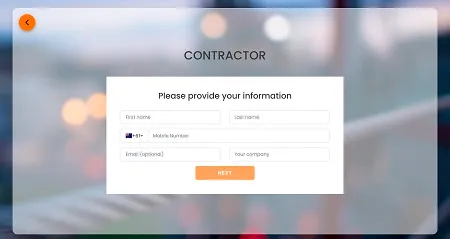
Key Features
A strong induction training login page should support the full induction journey.
It should not be a dead-end password page. It should help users complete the right steps and help administrators manage the process.
Secure user access
Secure access helps make sure training is completed by the intended user.
Users may log in using an email address, username, password, access key or other authentication method depending on the setup. Some organisations may also use additional authentication controls where required.
Secure login access is particularly useful when induction records are connected to site access, contractor approval, training evidence or compliance records.
User dashboard
A dashboard gives users a clear view of what they need to complete.
It may show assigned courses, incomplete modules, documents, quizzes, certificates or outstanding actions.
A dashboard helps reduce confusion.
Instead of searching through emails or asking an administrator what to do next, the user can log in and see the steps assigned to them.
Customised content
Induction content should match the user’s role and workplace.
Induct For Work allows organisations to create or adapt induction material using workplace documents, videos, policies, procedures, images, slides and other training content. Ready-to-use induction samples can also help organisations get started faster.
Customised content helps ensure the induction reflects your actual workplace rather than generic training language.
Multimedia training
Different users learn in different ways.
Text may be useful for policies and instructions. Videos can explain site layouts, procedures or safety steps. Images can show hazards, equipment or access points. Slides and documents can support more detailed workplace guidance.
An induction login page should allow users to access training in formats that make the information easier to understand.
Quizzes and knowledge checks
Completion alone does not always show understanding.
Quizzes can help confirm that users have understood key points before they receive a certificate or move to the next stage.
Questions may cover:
- emergency procedures
- site rules
- reporting steps
- PPE requirements
- conduct expectations
- privacy requirements
- role-specific instructions
For more detail, see induction training quizzes.
Document uploads and forms
Many organisations need users to provide information before work starts.
This may include licences, certificates, insurance documents, right-to-work information, qualifications, signed policies or other pre-employment documents.
Induct For Work can support document collection through the induction process. For contractor and pre-employment document workflows, see contractor pre-qualification.
Digital forms and signatures can also help reduce printing, scanning and manual follow-up. See e-signature for related document-signing workflows.
Certificates of completion
A certificate gives users and administrators a simple completion record.
Certificates may show that the user completed a specific induction course on a certain date. This can be useful for site access, contractor records, internal checks or client requirements.
Certificates should not replace good reporting, but they can provide a clear proof-of-completion document.
Automated reminders
People get busy.
Automated reminders help reduce manual chasing by prompting users to complete their induction, upload documents or finish outstanding steps.
This is useful when start dates are approaching or when contractors must complete training before arriving onsite.
For users who may not rely on email, SMS invitations can provide another way to send induction access.
Best Implementation Practices
A login page works best when the whole induction process is planned properly.
The aim is to make training easy to complete, easy to track and easy to update.
Keep the login journey simple
Users should understand what to do after they log in.
Avoid unnecessary instructions, confusing menus or too many modules at once. If the person needs to complete five steps, show those steps clearly. If they only need one short induction, do not make the process feel larger than it is.
A simple journey improves completion.
It also reduces support requests for administrators.
Match training to the user group
Different users should not always receive the same content.
A new office employee may need company policies, onboarding information and emergency procedures. A contractor may need site access rules and document upload steps. A volunteer may need conduct, safeguarding or supervision instructions. A visitor may only need a short site entry briefing.
Set up induction pathways by user type.
This makes the training more relevant and reduces unnecessary time spent on content that does not apply.
Use clear language
Induction training should be easy to understand.
Avoid long legal-style wording unless it is necessary. Use plain English, short sections and practical examples. Explain what the user must do, who they should contact and what happens next.
Clear language is especially important for contractors, casual workers, volunteers and people completing induction on a mobile device.
Add quizzes where understanding matters
Not every section needs a quiz.
Use knowledge checks for the topics that matter most: safety, emergency response, reporting steps, policy obligations and site access rules.
Quiz questions should test useful understanding, not obscure wording.
If many users fail the same question, the training content may need improvement.
Review and update content regularly
Induction content should not be left untouched for years.
Assign someone to review each course and update it when policies, procedures, contacts, site rules or workplace risks change.
Updated content should be easy to reassign where needed.
This helps the login page remain a reliable source of current induction information.
Check reports before people arrive
Do not wait until a person reaches the workplace to discover that induction is incomplete.
Administrators and managers should check completion before the start date or site visit. This is especially important for contractors, site workers, shift staff and temporary workers.
Clear reports allow your team to follow up early and avoid delays at reception, site entry or first shift.
Use the login page as part of a wider induction process
An induction login page is important, but it is not the entire employee experience.
Managers still need to welcome people, answer questions, explain role expectations and provide workplace support.
The online login process handles the repeatable training and record-keeping steps. People still provide the practical guidance, conversation and support that help users settle into the workplace.
Create a better Induction training
An induction training login page gives UK organisations a practical way to manage induction access, training completion and workplace records.
It helps employees, contractors, volunteers and other users complete the right induction steps before they start work or enter a site. It also gives administrators clearer visibility over training progress, quiz results, document submissions, certificates and reporting.
A strong login page should be secure, simple and connected to the wider induction process.
It should guide users to the right training, collect the right records and help the organisation confirm that required steps have been completed.
Induct For Work helps UK workplaces manage online induction training, onboarding, document collection, quizzes, certificates and reporting from one practical platform.
Start your 14-day free trial and see how Induct For Work can help your organisation deliver induction training with less manual administration and better records.
Frequently asked questions
An online site induction is a digital training process that explains important workplace, safety and site access information before a person enters or begins work at a site.
Employees, contractors, subcontractors, temporary workers, visitors, delivery drivers and volunteers may need to complete a site induction depending on the workplace and level of access required.
Yes. Online site inductions are especially useful for contractors because they can complete the required training before arriving onsite.
Yes. A quiz can help confirm that the person has read and understood the induction content before they are marked as complete.
Online induction software helps reduce paperwork, improve consistency, track completion and keep induction records easier to access.
Yes. A business can create different induction courses for different sites, roles, departments or contractor groups.
Start a free trial or book a demo to see how INDUCT FOR WORK UK can support your workplace induction training processes.
Author: Mick S Brown
Published: 11/07/2026
Updated: 13/07/2026