To make Policies visible to your inductees on your Portal, you would need to edit Portal’s settings of your online induction system.
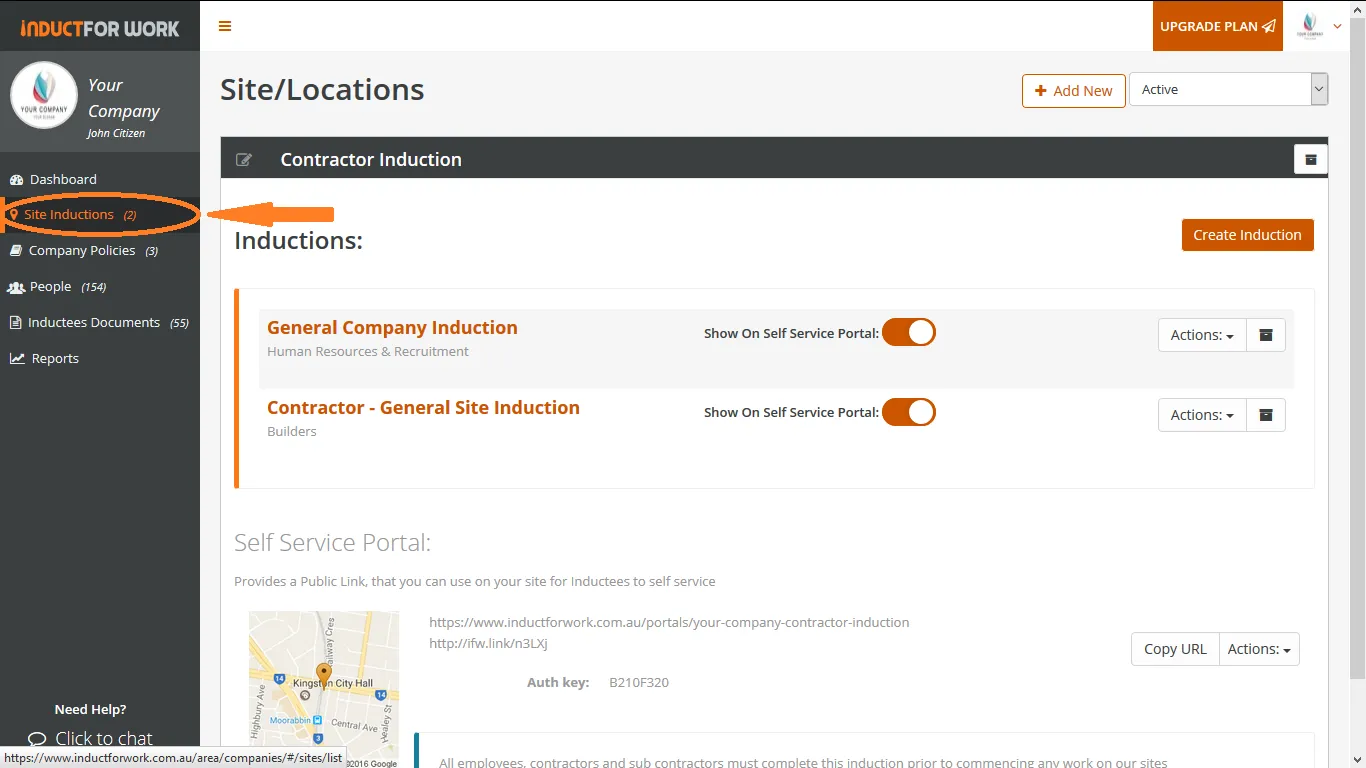
Step 1
Click on Site Inductions.
Step 2
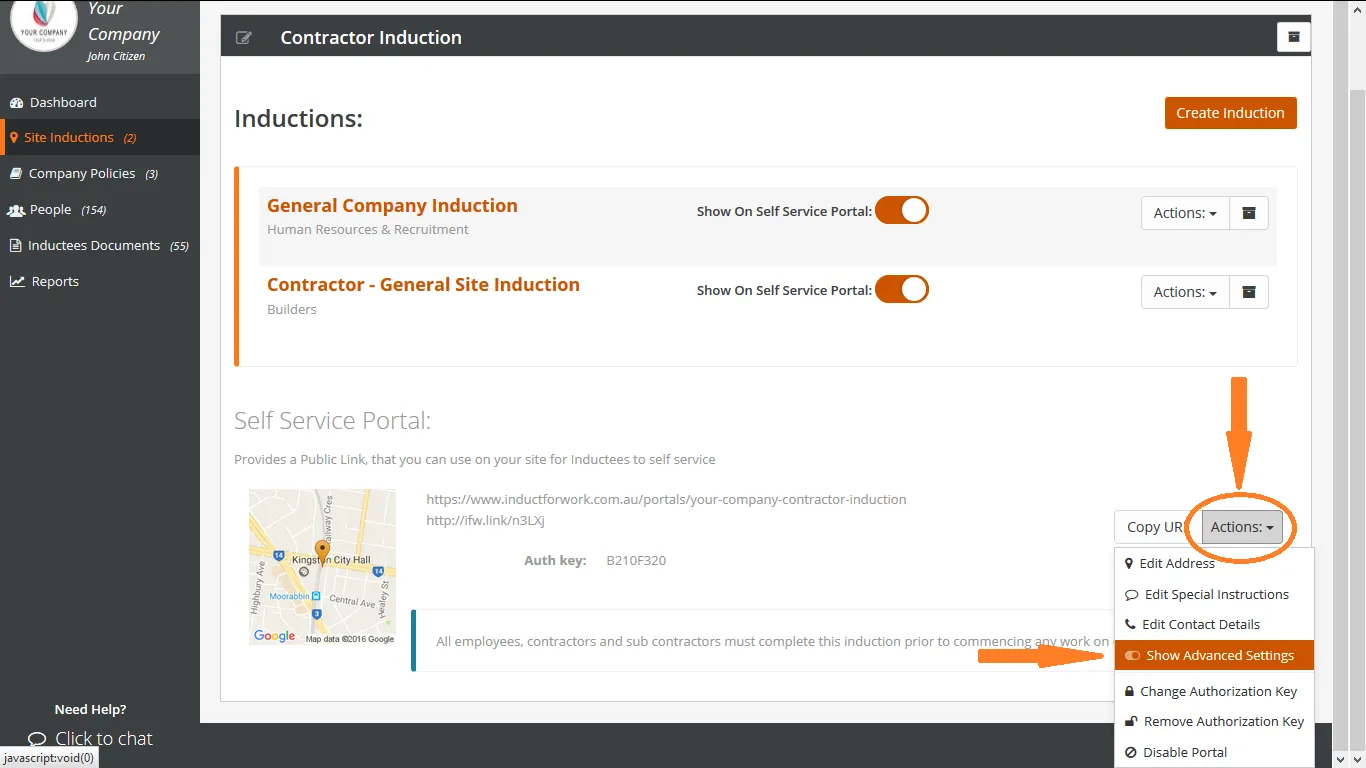
Scroll down to Self Service Portal. Click on Actions and then on Show Advanced Settings
Step 3
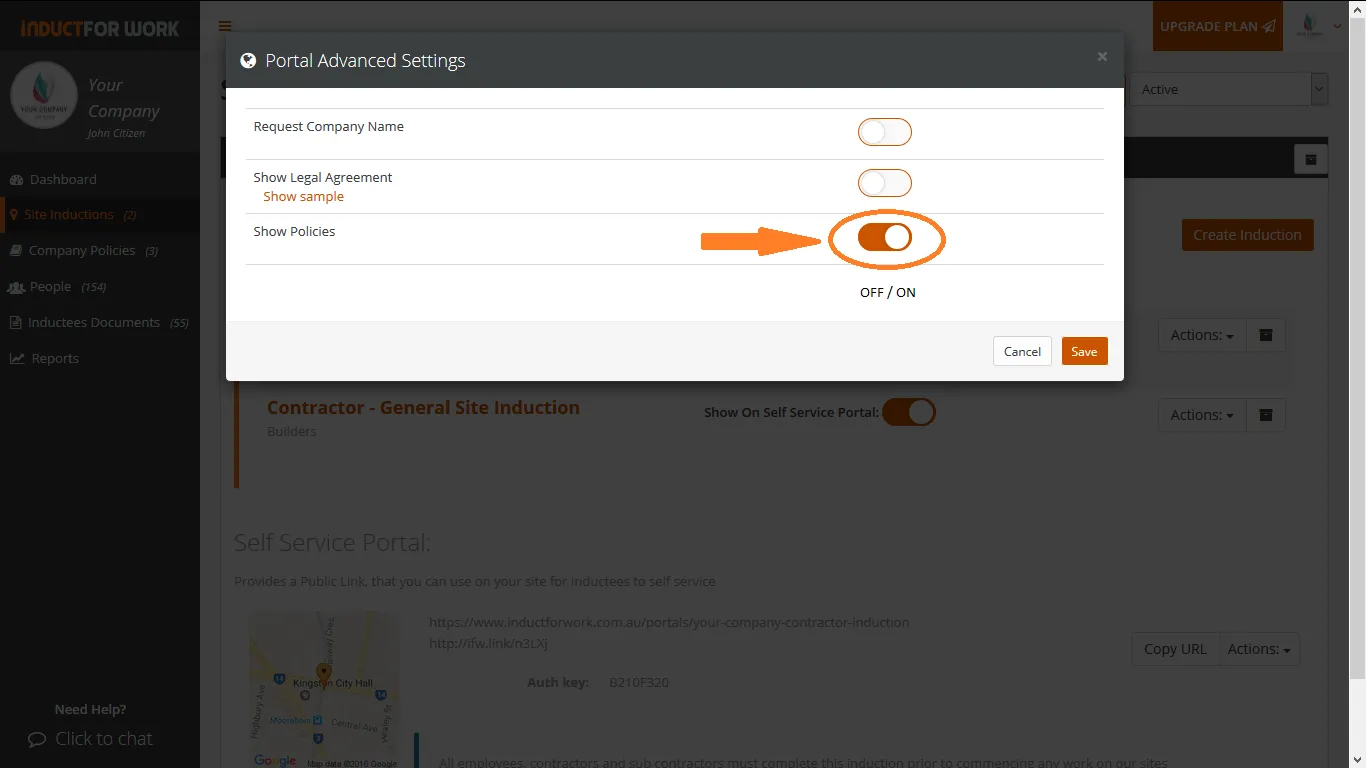
Click on Show Policies On/Off button.
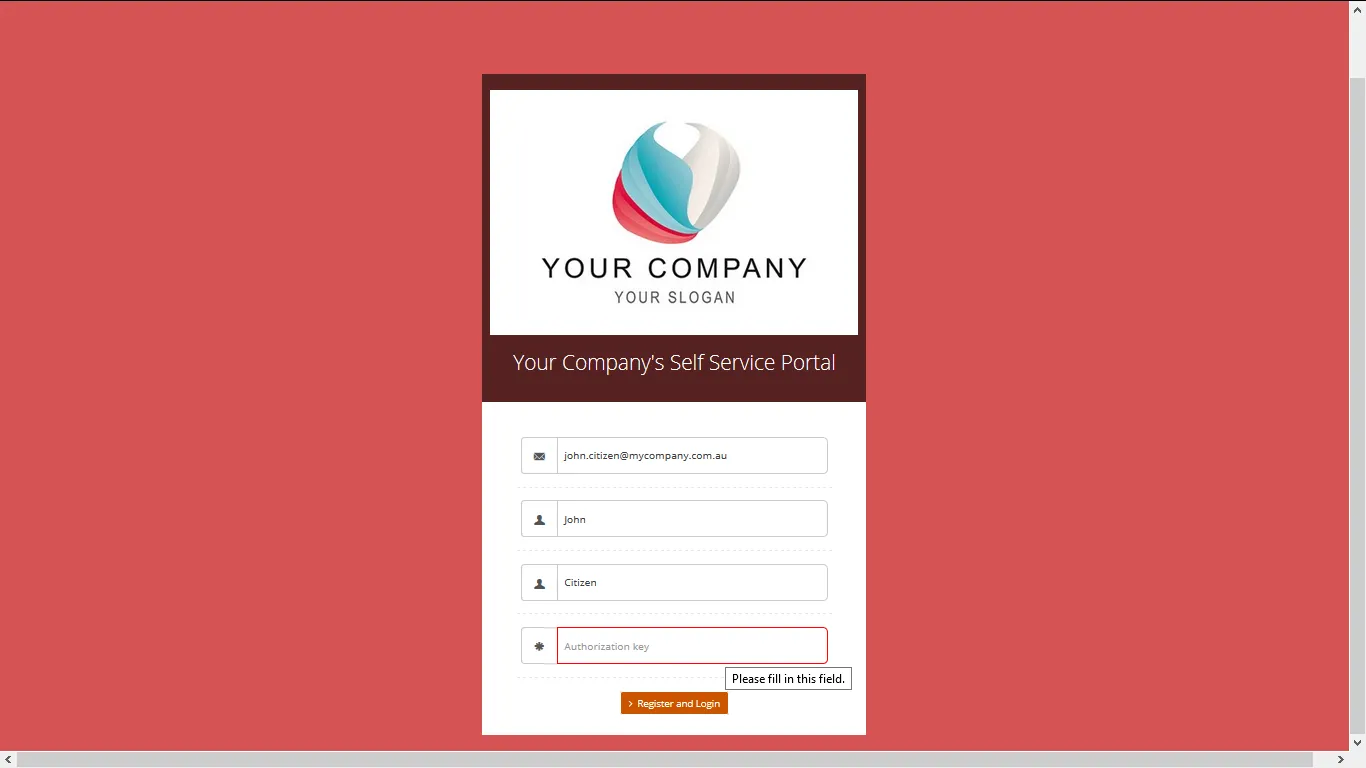
Once your inductees visit your Portal, they will need to register.
Your company policies will become visible to your inductees below Online Inductions.
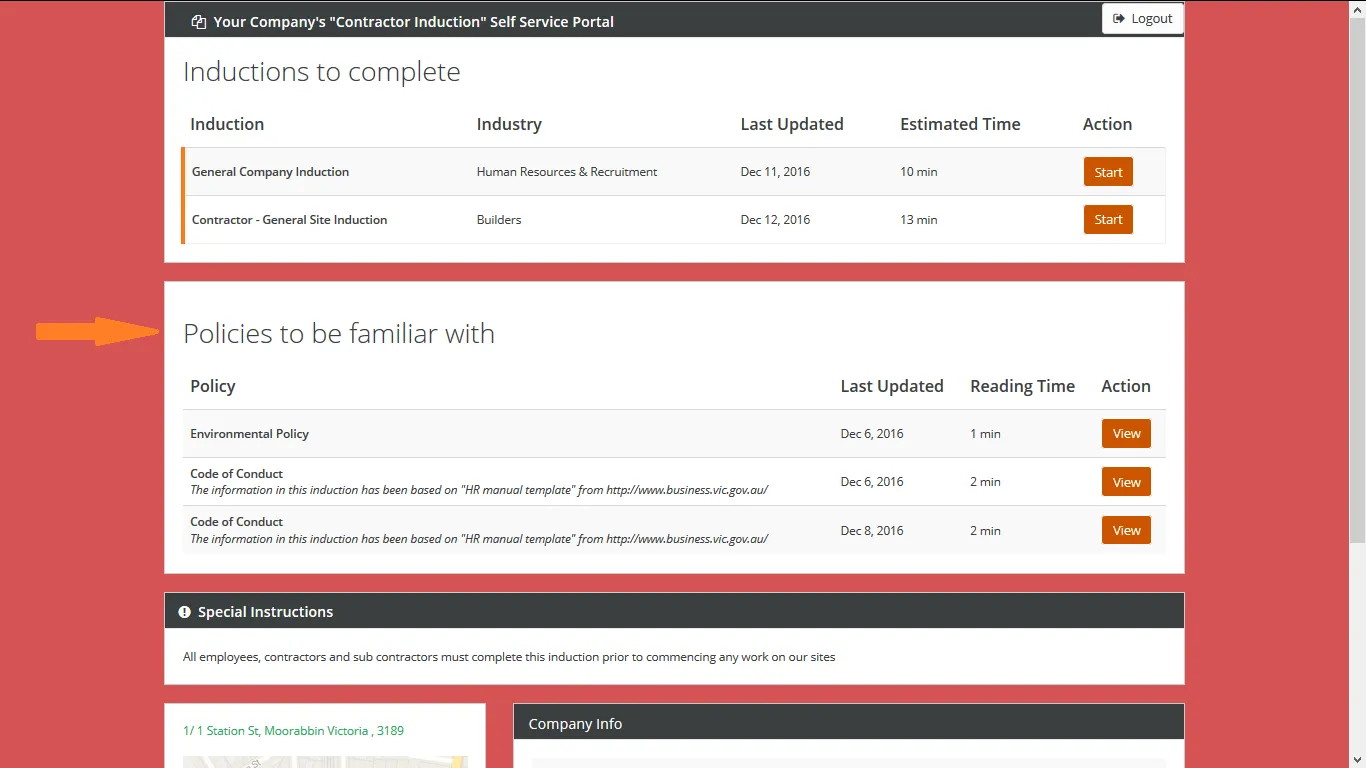
A record of all viewed policies is kept and is avilable to your admin.
Can’t find the answers you are looking for – click here – to contact us.