25 Cancelling Invites
What does cancelling an invite do?
Cancelling stops an induction training invite you sent by mistake, or one that’s no longer needed. The link in the person’s email or text stops working. On Lite and the free trial, a cancelled invite also stops counting towards your monthly invites.
Rules to know
- Who: every admin role except Supervisors can cancel invites.
- Unopened invites only: you can cancel an invite while it shows Awaiting response. Once the person opens the link, it can’t be cancelled.
- Archived people: restore the person first. Their invite’s Actions button is greyed out while they’re archived.
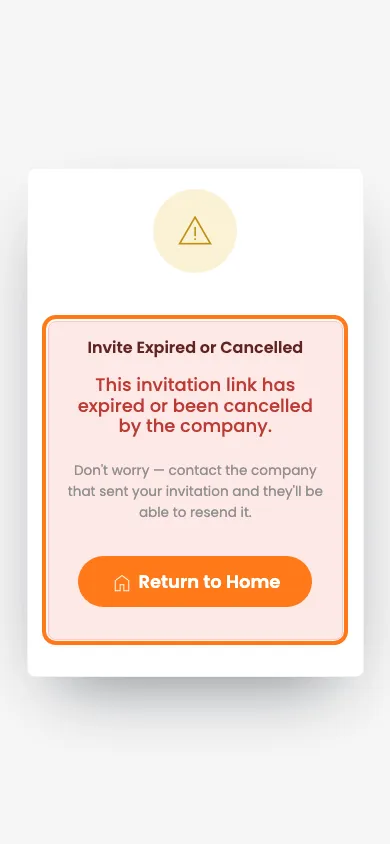
- The old link: if they click it, they see Invite Expired or Cancelled.
- Monthly invites: a cancelled invite no longer counts towards the Lite or free trial limit.
- No undo: to invite them again, send a new invite.
What you’ll need
- An admin login. Supervisors can’t cancel invites.
- The name of the person you invited.
Cancel an invite on the person's profile
- In the left menu, click People.
- Click the person’s name to open their profile.
- On the Inductions tab, find the Awaiting response card for that induction.
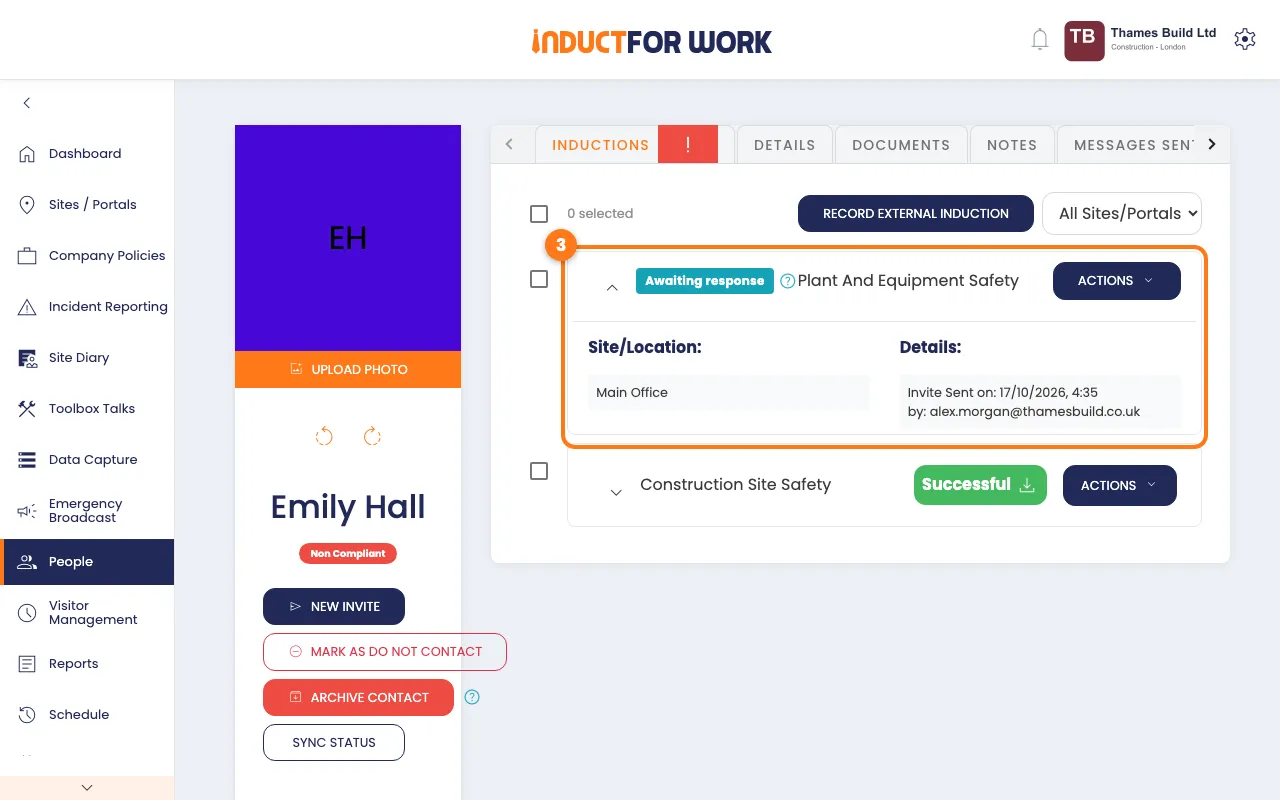
- Click the navy Actions button on that card.
- Click Cancel.
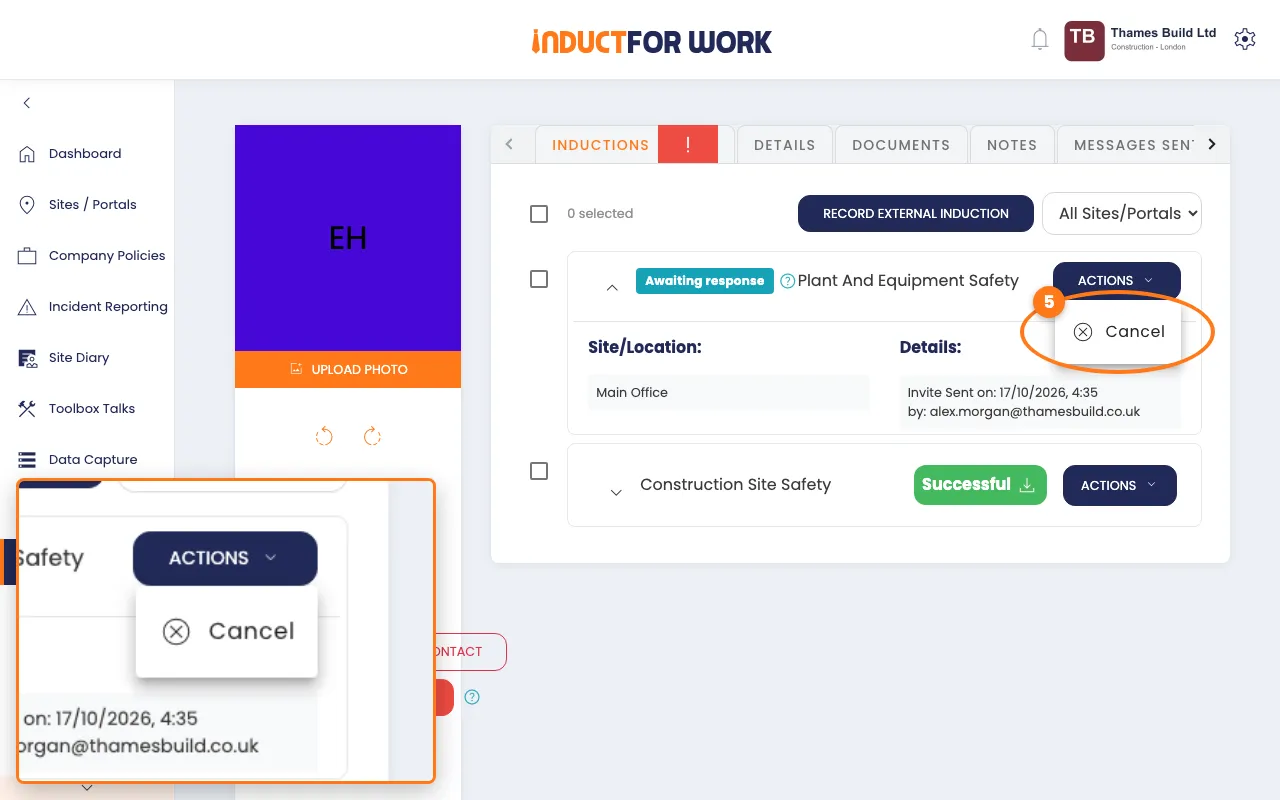
The card goes away straight away.
Cancel several invites at once
- On the person’s Inductions tab, tick the box next to each invite.
- Click the navy Actions button, then click Cancel invites.
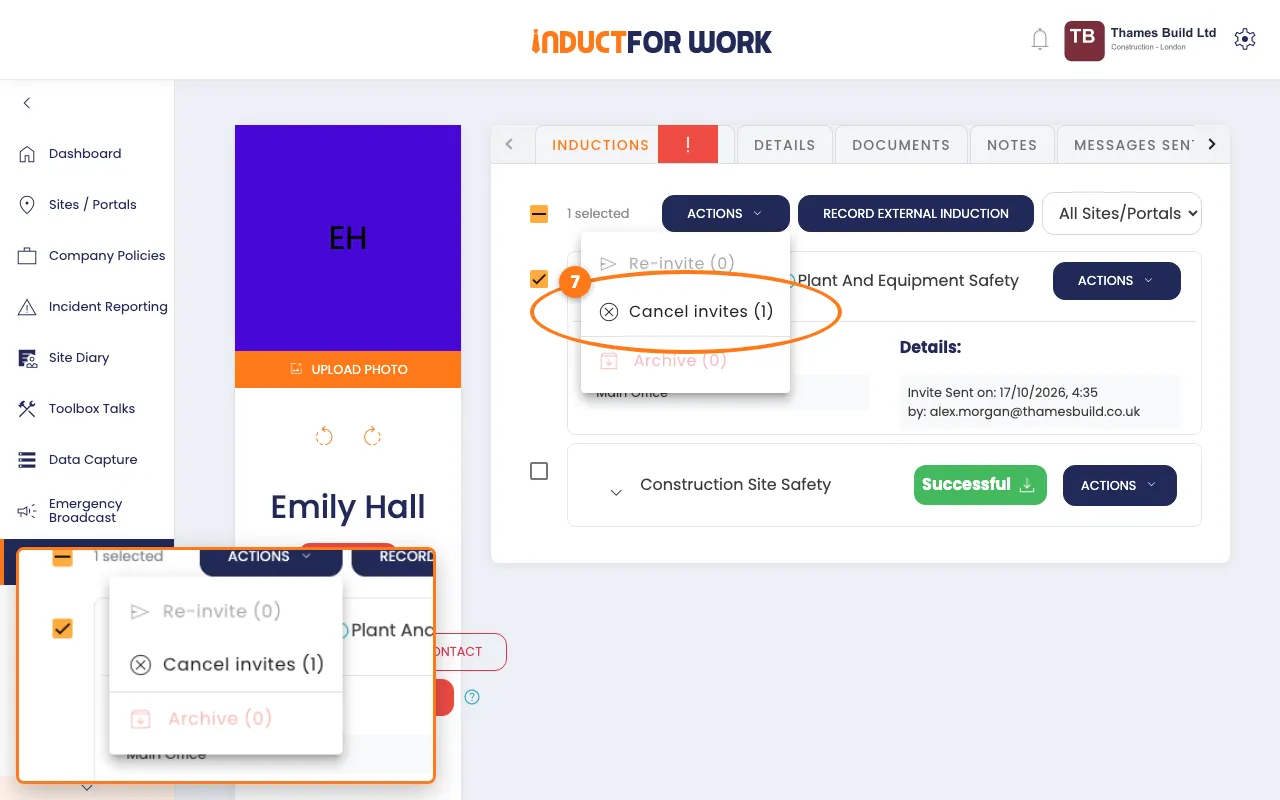
- Click Cancel invites again to confirm.
Cancel from the Unanswered Invites report
- In the left menu, click Reports, then click Unanswered Invites.
- Click the red Cancel button next to the invite.
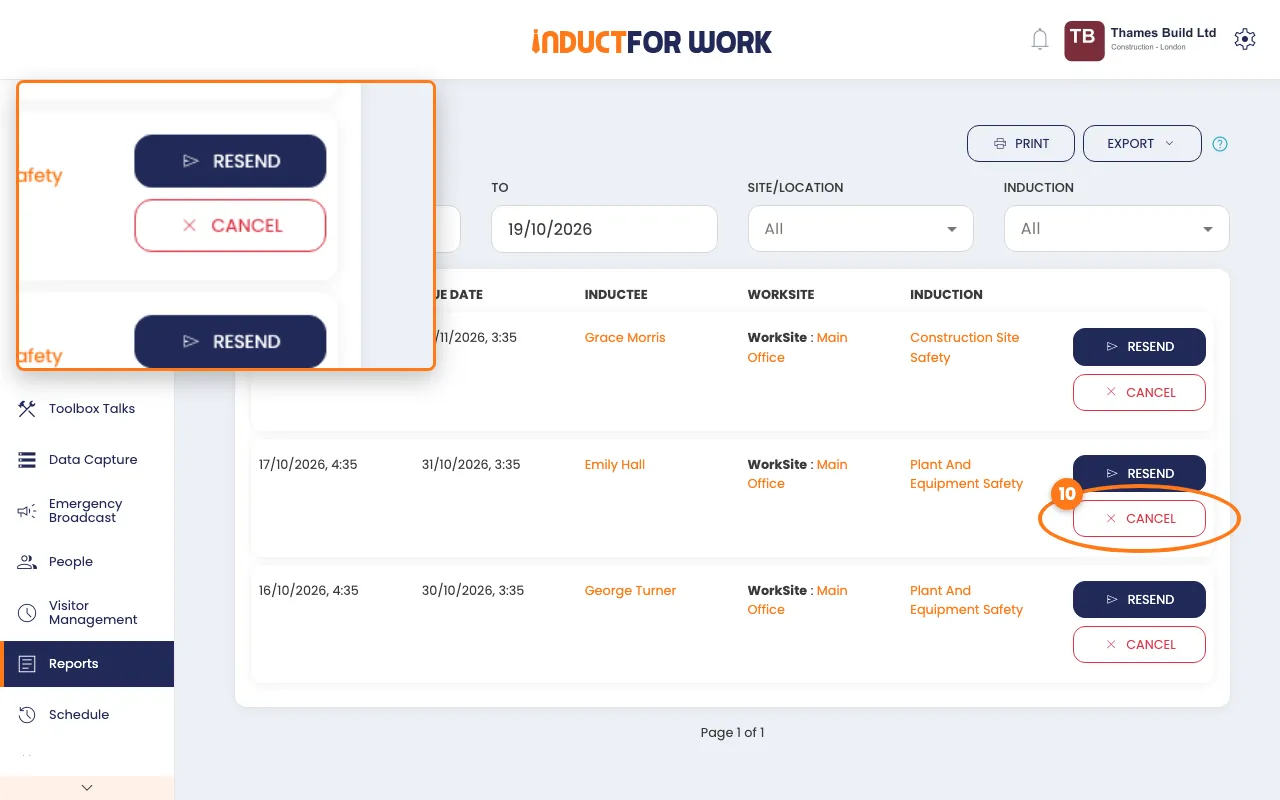
You’ll see The invite has been canceled.
What the person sees
If they click the link in their old email or text, they see Invite Expired or Cancelled. It tells them to contact your company to get a new invite.
Already inducted somewhere else?
If they’ve already done the induction elsewhere and you have proof, cancel the invite. Then click Record External Induction on their Inductions tab, pick the induction and the date, and click Save.
Done! What happens next
- The invite is gone from their profile and from the Unanswered Invites report.
- Their status on the People list updates.
- Sent it to the wrong address? Fix it on their Details tab, then send a new invite. See Induction Invites.