4 Your Team and Messages
What are Team and Messages?
Team lets up to 3 people from your business share one contractor account. Messages lets you ask the company a question without leaving Induct For Work. Both help you keep your induction training paperwork moving, even when you’re busy on site.
Rules to know
- Team size: your team can have up to 3 people, including you.
- After approval: the Team page opens once the company approves you.
- Invites: an invite works for 7 days, with the email it was sent to.
- Messages before approval: your business can send up to 10 messages a day.
- Messages after approval: each person can send up to 60 messages an hour.
- Text only: messages can’t carry files. Upload documents on the requirement itself.
- Emails: we email you when the company replies, at most once every 10 minutes.
- Archived: if the company archives your business, messages become read-only.
What you’ll need
- Your business approved by the company (for Team).
- Your teammate’s email address. Any address they check works.
Invite a team member
- In the left menu, click Team.
- Type their email under Invite a team member.
- Click the Send invite button.
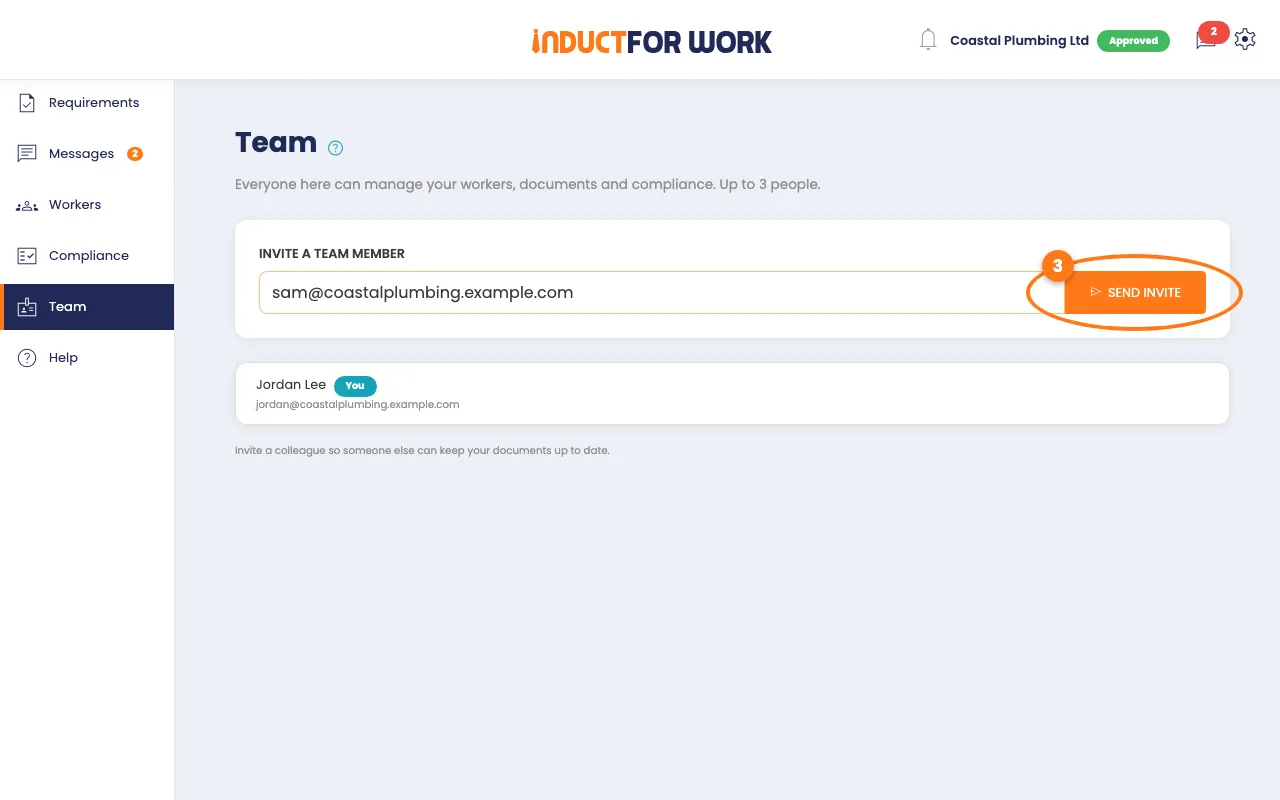
They get an email with a link. They must use that same email to join.
Remove someone, or leave the team
- On Team, find the person.
- Click Remove. To leave yourself, click Leave team.
When your team is full, remove someone before you invite another person.
Ask the company a question
- In the left menu, click Messages.
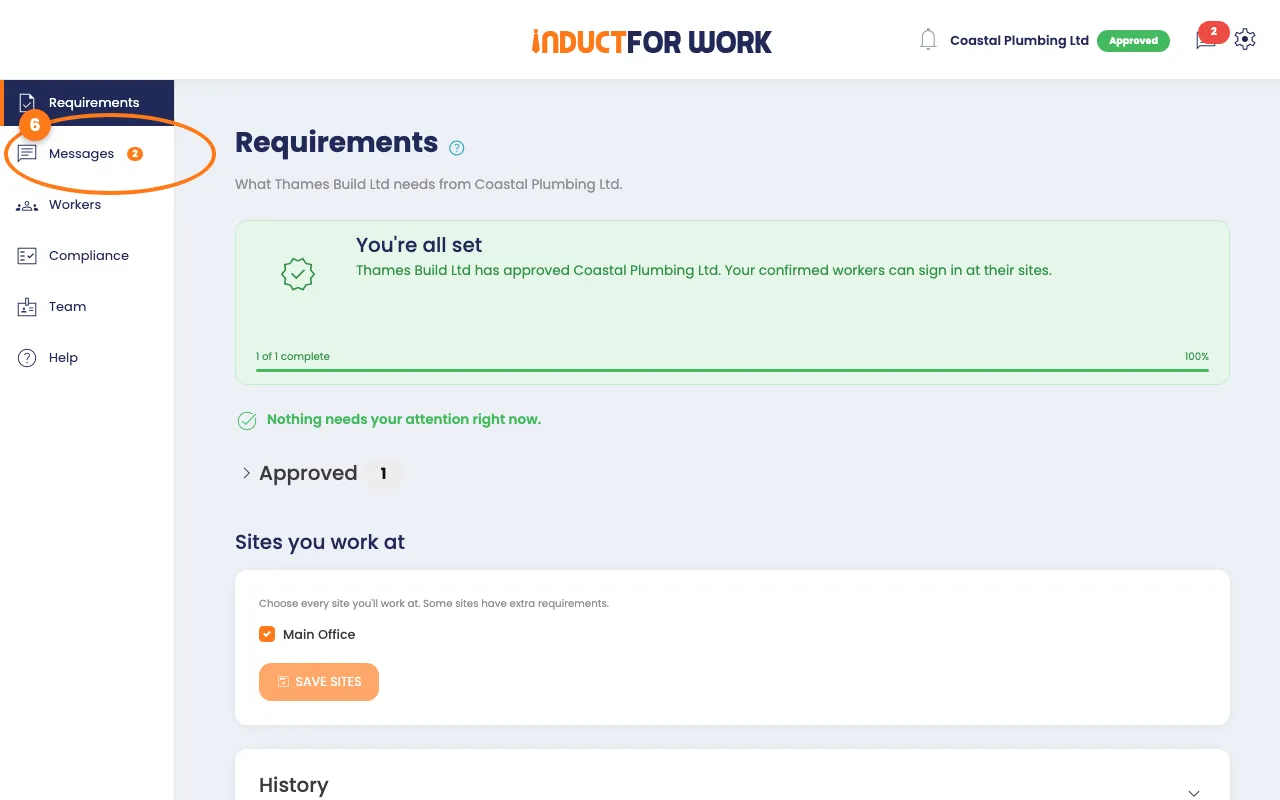
Your earlier messages and the company’s replies show here.
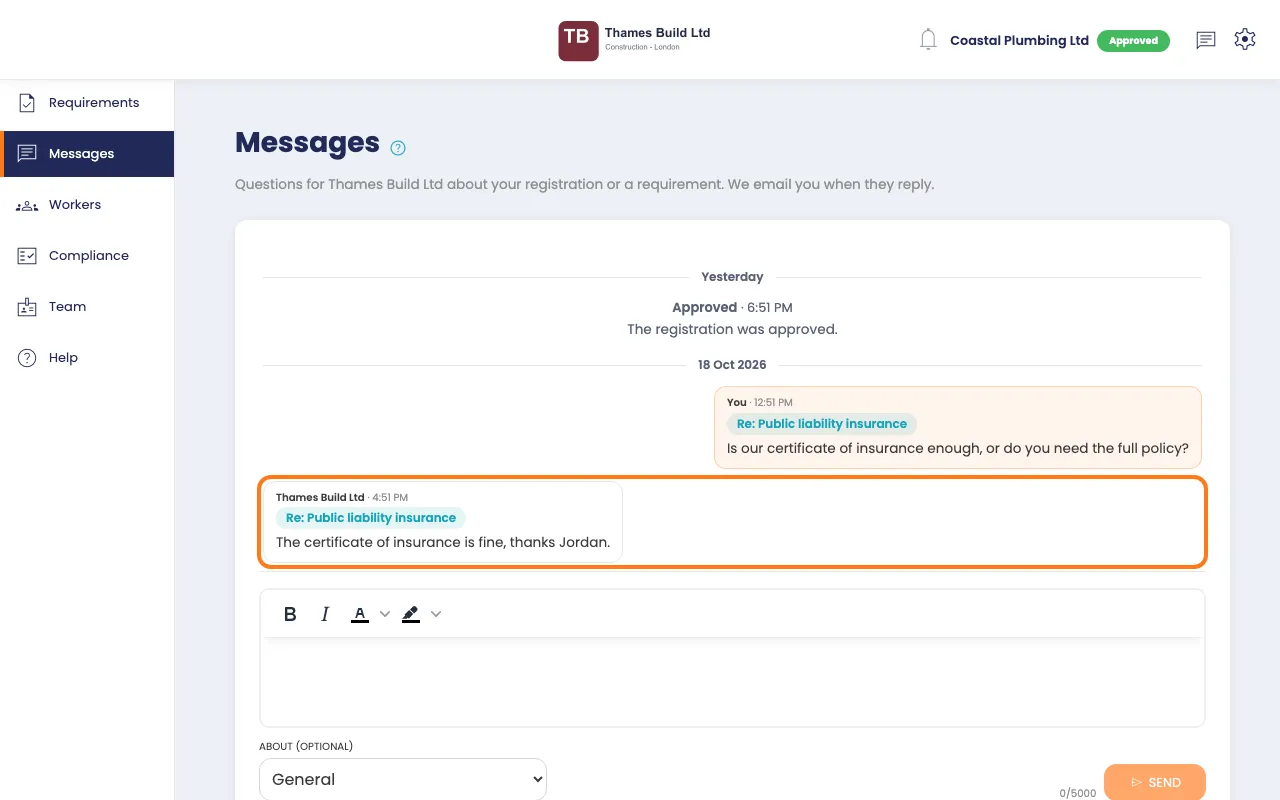
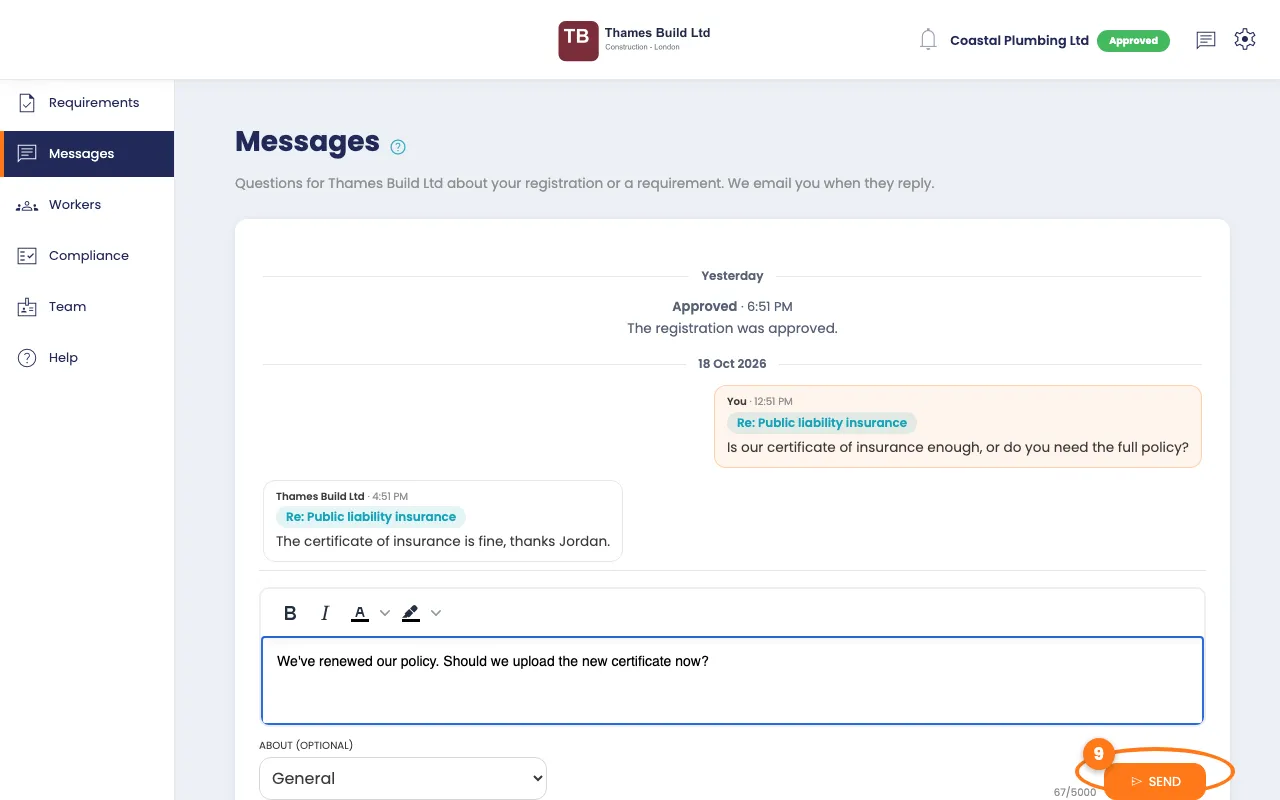
- Type your question in the box.
- To ask about one item, pick it in the About (optional) list.
- Click the Send button.
Tip
On the Requirements page, every item has an Ask a question link. Your message is then linked to that item.
Read the company's reply
- A number next to Messages shows replies you haven’t read.
- Click Messages to read them.
We also email you when the company replies.
Done! What happens next
- Your teammates can manage requirements, workers and messages with you.
- The company sees your messages and replies in the same place.
- Keep an eye on your email for replies and reminders.