LMS Login for Online Induction and Workplace Training
An LMS login is the entry point to an organisation’s online training, induction and compliance records. For a worker, it may be the place where they complete a course before starting a new role. For a contractor, it may be the portal they use before arriving on site. For an administrator, it is the control centre for assigning training, checking progress, reviewing records and proving that the right people have completed the right steps.
That is why people search for “LMS login” for different reasons.
Some are trying to access a course they have already been assigned. Others are comparing learning management systems because their current process is too manual, too slow or too difficult to audit. A few may simply want to understand what a learning management system login should do in a modern workplace.
In UK businesses, an LMS login should support more than generic learning. It should help with employee induction, contractor onboarding, site-specific training, policy acknowledgements, health and safety information, quizzes, certificates and completion records. When training affects safety, access, compliance or readiness for work, the login process needs to be clear, reliable and easy to manage.
Induct For Work gives organisations a practical way to deliver online inductions and workplace training through one platform. Users can complete assigned modules, while administrators can track completion, collect records and keep evidence organised.
What is an LMS login?
An LMS login is the secure access point for a learning management system. It allows users to enter the training environment that has been assigned to them.
A basic LMS login may only provide access to online courses. A workplace-focused LMS login should do more. It should help people complete the steps required before they start work, enter a site, perform a role or continue working in a compliant way.
A strong LMS login can give users access to:
- online induction courses
- role-specific training modules
- contractor induction requirements
- company policies and procedures
- health and safety information
- quizzes and knowledge checks
- forms and declarations
- digital acknowledgements
- document upload requests
- certificates of completion
- refresher training
- training history where applicable
For administrators, the same system should support:
- course assignment
- user management
- completion tracking
- overdue training visibility
- reporting
- records
- certificates
- audit evidence
- site and role segmentation
- communication with users
The login page may look simple, but it connects to a much larger training and compliance workflow.

Why people search for LMS login
The phrase “LMS login” often has practical intent. A person may have received an email invitation and wants to access their course. A new starter may be trying to complete an induction before day one. A contractor may need to finish site requirements before being allowed to work.
However, the search can also come from managers. They may be looking for a better LMS because the current setup is frustrating. Perhaps users cannot find their assigned courses. Maybe supervisors cannot see who has completed training. In some cases, records may be spread across spreadsheets, inboxes and shared folders.
A useful LMS login page should therefore speak to both groups.
Workers need clear access. Managers need confidence that the system behind the login can handle real workplace requirements.
What an LMS should help UK workplaces manage
UK employers need workers to receive clear information, instruction, training and supervision so they can work safely. HSE guidance says everyone who works for an organisation needs to know how to work safely and without risk to health, including contractors and self-employed people.
An LMS helps organisations organise that responsibility in a repeatable way.
Rather than relying on one-off briefings, paper forms or informal handovers, businesses can build structured training pathways for different user groups. The process can then be assigned, completed, tracked and reviewed.
A workplace LMS can help manage:
- employee onboarding
- site inductions
- contractor training
- health and safety training
- policy sign-offs
- toolbox talks
- refresher training
- document collection
- certificate issuing
- reporting and audit preparation
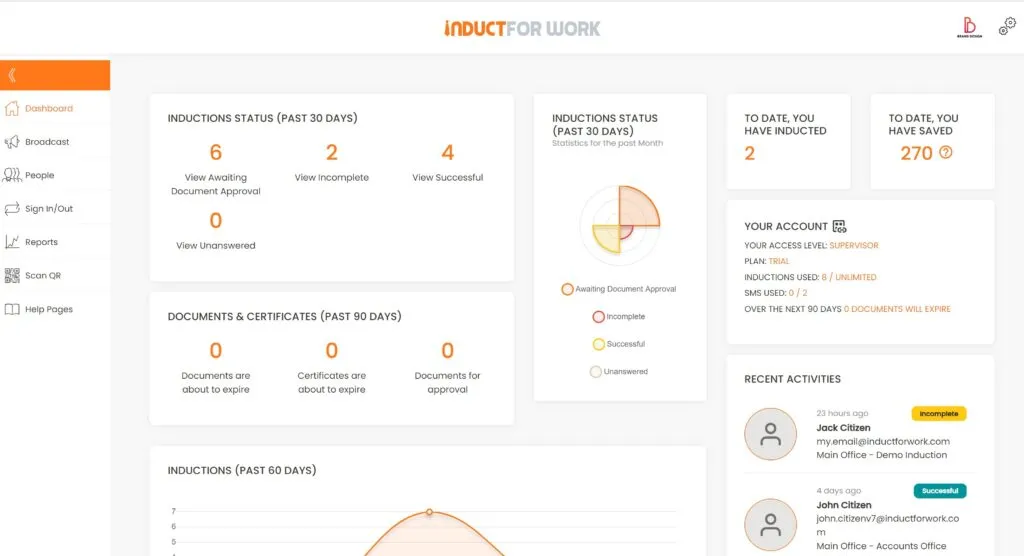
For many organisations, the biggest benefit is visibility. Administrators can see who has completed training, who still needs to finish and which records are ready for review.
The problem with a poor LMS login process
A weak login process creates frustration before training even begins.
Users may not know where to go, what to complete, which password to use or who to contact. Contractors may arrive on site without finishing their induction. New starters may be asked to repeat information because one system does not connect with another. Managers may waste time chasing people manually.
Poor LMS access can also create record problems. If a person completes training outside the system, the evidence may sit in an email, spreadsheet or paper file. Later, when someone asks for proof, the business has to search for it.
Common problems include:
- unclear login instructions
- different portals for different training tasks
- no mobile-friendly access
- missing invitation emails
- weak password recovery process
- no clear support route
- no completion dashboard
- no reliable record of sign-offs
- poor reporting for administrators
- no easy way to manage contractors
- repeated manual reminders
When the login is confusing, users disengage. When the records are scattered, administrators lose confidence.
What a good LMS login experience should include
A good LMS login experience should feel simple for the user and controlled for the administrator.
Users should be able to see what they need to complete without searching through confusing menus. They should be able to open their assigned training, move through the required steps and understand when they are finished.
A strong user experience should include:
- clear login instructions
- mobile, tablet and desktop access
- assigned courses visible after login
- simple navigation
- progress tracking
- quizzes where needed
- confirmation when training is completed
- certificates where applicable
- support details if the user has trouble
Administrators need a different view. They need to manage users, assign courses, review documents, track completions and generate reports.
A strong administrator experience should include:
- user invitation tools
- group or site-based training assignment
- completion dashboards
- overdue training visibility
- record exports
- certificate access
- document status tracking
- refresher scheduling
- clear reporting
- audit history where available
The best LMS login does not feel like extra work. It helps people move through the process with fewer delays.

Who this page is for
This page may suit UK organisations that need a better way to manage access to online training, inductions and compliance records.
It is especially useful for:
- HR teams managing new starters
- health and safety managers
- site managers
- contractor managers
- facilities managers
- operations teams
- school and education administrators
- local authority teams
- logistics and warehouse managers
- construction businesses
- manufacturing employers
- care and support service providers
- charities and non-profit organisations
- organisations with multiple sites
- businesses using seasonal, temporary or mobile workers
The common need is simple: people must complete the right training, and the organisation must be able to prove it.
LMS login for employees
For employees, an LMS login can support the full training journey from first day to ongoing refresher training.
A new employee may need to complete company induction, role training, health and safety modules, policy acknowledgements and workplace procedures. Later, the same person may need refresher courses, updated policies, new system training or site-specific information if their role changes.
Using online induction as part of this process gives the business a structured way to deliver important information before work begins. It also helps employees understand what is expected of them without relying on loose documents or rushed briefings.
A good employee LMS pathway can include:
- welcome information
- health and safety induction
- workplace rules
- company policies
- role-specific training
- forms and acknowledgements
- quizzes
- certificates
- refresher training
This gives employees a clearer start and gives the business better records.
LMS login for contractors
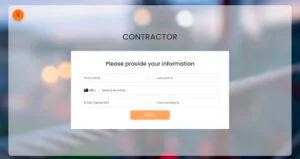
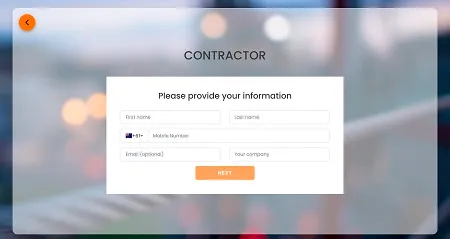
Contractors often need a different training pathway from employees. They may work for another company, attend more than one site or only visit for a short project. Even so, they still need to understand site rules, hazards, emergency procedures, access requirements and reporting expectations.
An LMS login can help contractors complete training before they arrive. This reduces delays at reception, the gate, site office or project start.
A contractor-focused pathway may include:
- site induction
- RAMS or method statement acknowledgement where relevant
- PPE requirements
- emergency procedures
- permit or access instructions
- licence and certificate uploads
- insurance document requests
- visitor or site rules
- reporting expectations
- confirmation of completion
For stronger contractor workflows, link this page with online induction training for contractors UK and contractor pre qualification.
LMS login for administrators
Administrators need more than a user login. They need visibility and control.
A good LMS should show who has been invited, who has started, who has completed and who still needs attention. It should also help administrators manage records, review documents and report on training status.
Admin users may need to:
- create courses
- assign users
- upload content
- review progress
- send reminders
- check document status
- issue or access certificates
- generate reports
- manage different sites
- update training content
- review records during audits
Induct For Work supports these workflows through tools such as reporting, record keeping and training schedule.
Training, sign-offs and evidence in one place
A useful workplace LMS brings training, sign-offs and evidence together.
Training is important, but completion evidence is just as important. A business may need to show that a worker received information, understood key requirements and acknowledged important policies. This is why an LMS should support both learning and proof.
Induct For Work can help organisations manage:
- induction completion records
- policy acknowledgements
- quizzes
- certificates
- document uploads
- digital forms
- e-signatures
- refresher training records
- reports
For forms and acknowledgements, connect this page with e-signature, custom forms and document registry.
Comparing manual training access with an LMS login
Many businesses start with manual training because it feels simple. Someone sends a PDF, shares a slideshow, runs a briefing or records completion in a spreadsheet.
That approach may work for a very small team, but it becomes fragile as the workforce grows.
A manual process often depends on someone remembering to invite people, chase responses, file evidence and update records. If the supervisor is busy, the system slows down. If the spreadsheet is not updated, the business loses visibility.
An LMS login creates a more organised process. Users know where to go. Administrators can see progress. Records stay connected to the user. Reports can be produced without searching through emails.
The difference is not only convenience. It is control.
With manual training, the business often asks, “Has this been done?”
With an LMS, the business can check.
Useful LMS features for induction and compliance
An LMS used for workplace induction should support practical business tasks. It should not only host content. It should help the organisation control the workflow.
Useful features include:
- course creation
- induction samples
- video, image, PDF and document content
- quizzes and pass marks
- digital forms
- e-signatures
- SMS and email invitations
- self-registration portals
- certificates of completion
- document collection
- automated reminders
- refresher scheduling
- reports
- administrator access controls
- multi-site management
Induct For Work supports a wide range of these workflows, including induction training, induction samples, quizzes and self-registration portals.
Mobile access matters
Many workers do not sit at a desk. Contractors, drivers, cleaners, trades, care workers, event staff, warehouse teams and site workers may need to complete training from a phone or tablet.
A useful LMS login must therefore work for mobile users.
Mobile-friendly access helps users complete their induction before arriving, during an approved training window or from another suitable location. It can also reduce admin delays because users do not need to wait for access to an office computer.
For administrators, mobile access can also make it easier to check completion records, scan certificates or respond to training queries while away from a desk.
LMS login and multi-site organisations
Multi-site organisations need more control than a single training folder can provide.
Different locations may have different hazards, emergency procedures, managers, access rules, roles and documents. A person who is trained for one site may still need additional information before working at another.
An LMS can help by separating training by site, role, team or user group.
For example, a business may need different pathways for:
- head office employees
- warehouse staff
- contractors
- cleaners
- maintenance workers
- transport workers
- visitors
- regional teams
- temporary workers
- supervisors
This makes training more relevant. It also helps managers avoid sending everyone the same generic content when people need site-specific information.
How Induct For Work helps
Induct For Work helps UK organisations create, assign and track online inductions and workplace training from one platform.
The system can be used to:
- create induction courses
- assign training to employees and contractors
- invite users by email or SMS
- collect forms and documents
- add quizzes
- request acknowledgements
- issue certificates
- track progress
- review records
- manage different sites
- schedule refresher training
- generate reports
Rather than separating training, forms, documents and evidence across different systems, Induct For Work helps keep the process connected.
For businesses that need a practical LMS for induction and compliance, this can reduce admin time, improve visibility and create a more professional experience for workers.
Make LMS access easier to manage
An LMS login should not be a barrier. It should help people complete training, understand requirements and move forward with confidence.
For workers, the login should make training easy to find and complete. For contractors, it should support pre-arrival readiness. For administrators, it should provide the visibility needed to manage compliance without chasing every person manually.
Induct For Work gives UK businesses a practical way to manage online inductions, training records, forms, certificates and reporting in one place.
If your current process relies on spreadsheets, paper sign-offs, shared folders or repeated email chasing, it may be time to move to a more structured LMS login experience. A clearer system helps users know what to do and helps your organisation prove what has been completed.
Frequently asked questions
An LMS login is the secure access point for a learning management system. It allows users to complete assigned training, access induction courses, view requirements and submit required information.
LMS stands for Learning Management System. It is software used to deliver, manage and track training.
UK businesses use an LMS to deliver training consistently, track completion, keep records and make training easier to manage across employees, contractors, sites and roles.
Yes. An LMS is useful for online inductions because it can deliver induction content, collect acknowledgements, test understanding and keep completion records in one place.
Yes. Contractors can use an LMS login to complete site inductions, upload required documents, acknowledge site rules and finish training before arriving on site.
Yes. Many workplace LMS platforms can issue certificates of completion after a user finishes the required training or passes a quiz.
An LMS helps by recording who completed training, when it was completed, what course was assigned and whether certificates, forms or acknowledgements were collected.
Yes. Induct For Work can be used to create induction training courses, assign training, collect records, manage forms, issue certificates and report on completion across different sites and user groups.
Start a free trial or book a demo to see how INDUCT FOR WORK UK can support your workplace induction training processes.
Author: Mick S Brown
Published: 14/01/2026
Updated: 14/07/2026